 Tamsel
Every bridge, one sidebar
Rooms are sorted by floor instead of by bridge, zones sit under their room, and favorites can switch rooms on several bridges at once. ⌘K finds any room, scene or device.
Philips Hue for Mac
All your Hue Bridges in one Mac app: rooms by floor, scenes and effects, a floor plan that glows like your home, and the maintenance view the Hue app is missing.
For macOS 15 or later. Works with the square Hue Bridge (2nd generation) or newer. English and German.
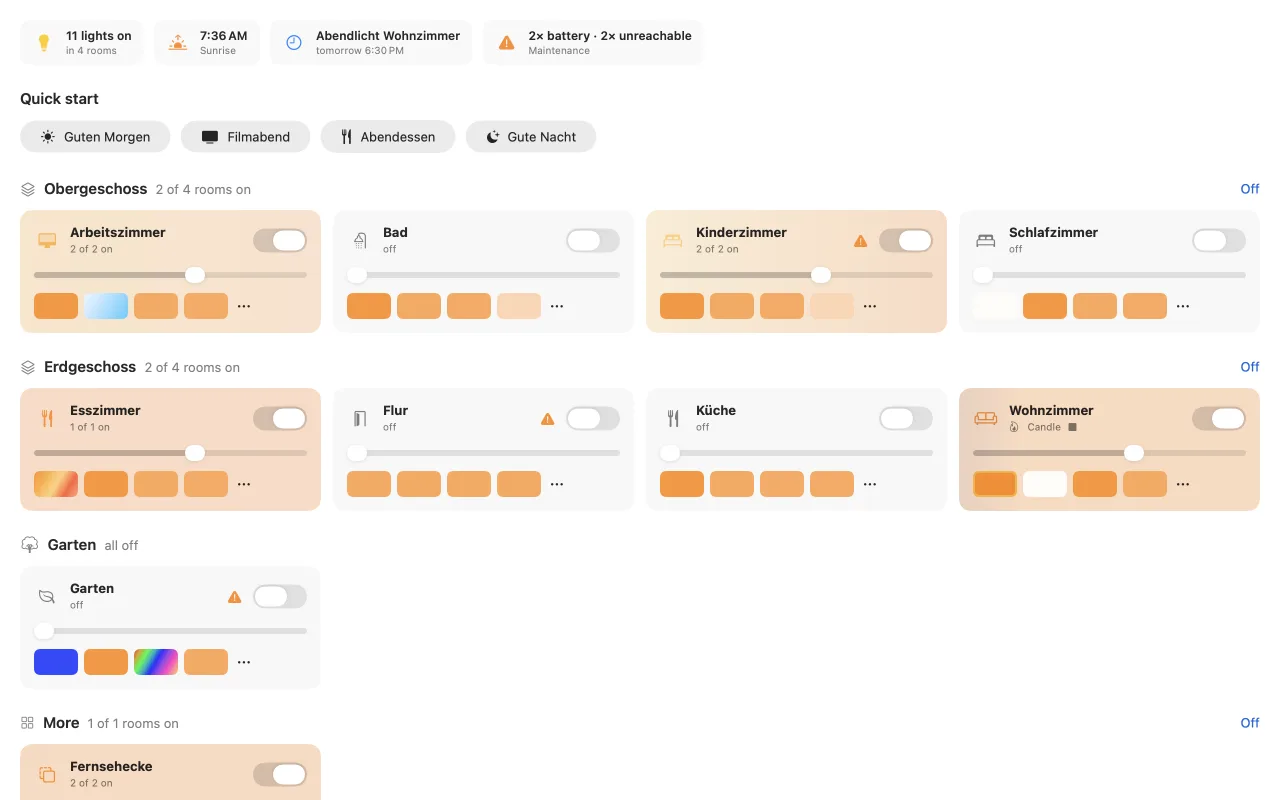
Big homes outgrow one bridge: about 50 lights per bridge are recommended. Tamsel joins them again, so ground floor, upper floor and garden feel like one system.
Rooms are sorted by floor instead of by bridge, zones sit under their room, and favorites can switch rooms on several bridges at once. ⌘K finds any room, scene or device.
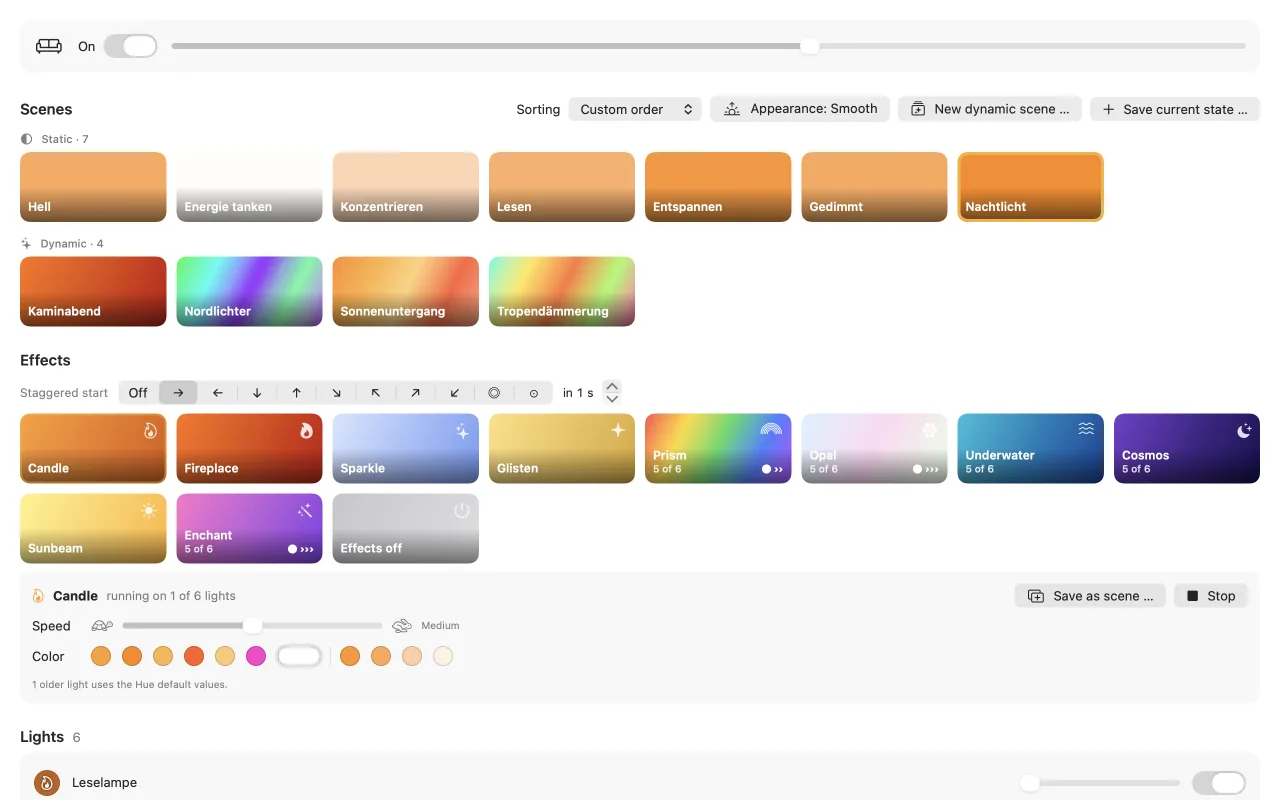
Scenes are split into static and dynamic, can be sorted by hand or by last use, pinned to the top, transferred to other rooms, and cleaned up when unused or duplicated.
Pick speed and color in the effect bar, remembered per room. Start an effect as a wave through the room, or save it as a scene that also runs from a switch.
Draw your floors, place lights, switches and sensors, and switch them right on the plan. Lights that are on glow into the room, and walls stop the glow where real walls would.
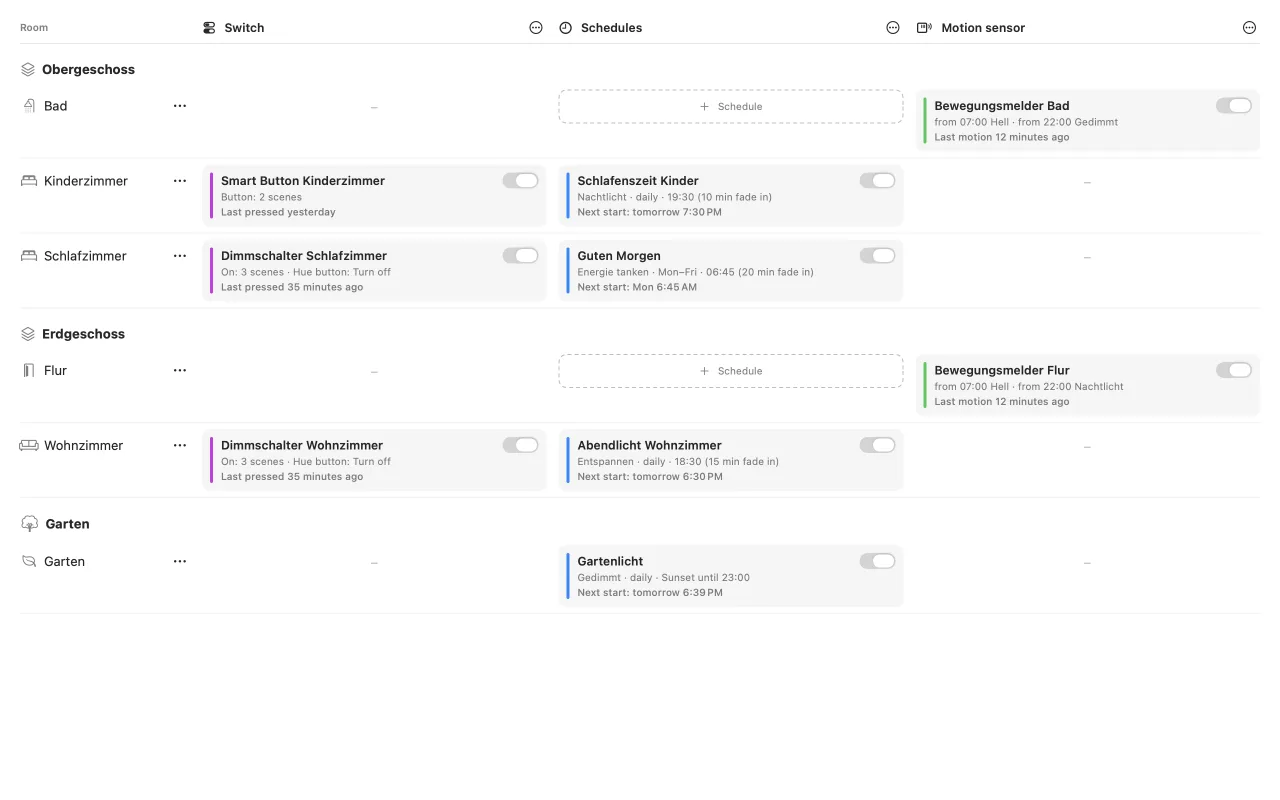
Switches, schedules and motion sensors of all bridges in one matrix by room, or as a daily timeline. Tamsel flags deleted scenes, missing rooms, overlapping schedules and sensors that are off, and it even reads switches the old Hue app set up with legacy rules.
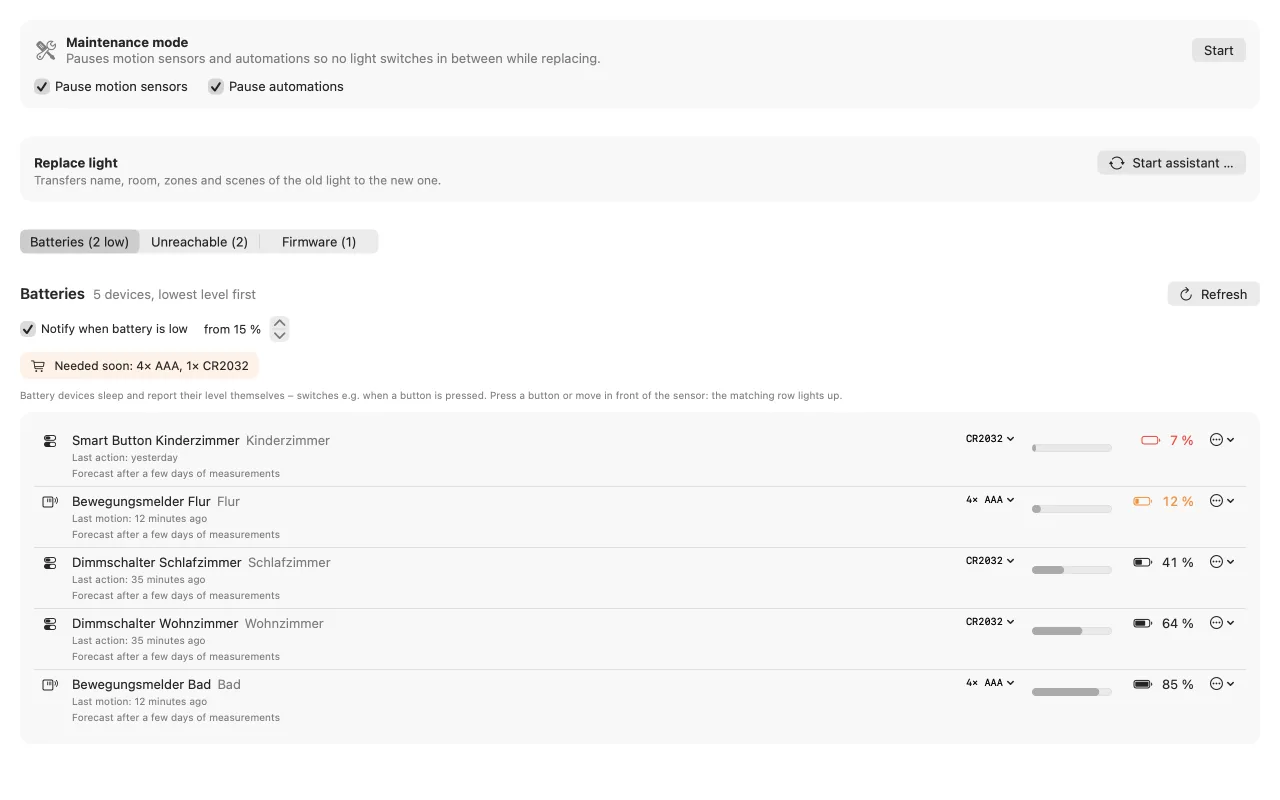
Batteries, dead lights and firmware in one place, with a maintenance mode that pauses motion sensors and automations while you work.
Tamsel talks to your bridges on your home network and nowhere else. No account, no cloud, no analytics, no ads. Access keys stay in your Mac’s keychain. Read the privacy policy.
With the square Hue Bridge (2nd generation) or newer, on current firmware (API 1.46 or later). The round first-generation bridge is not supported, because it lacks the current Hue interface (CLIP v2). You can pair as many bridges as you like.
No. Tamsel talks to your bridges directly on your home network. There is no sign-up, no cloud and no tracking. Only bridge discovery may ask Signify’s public discovery service for bridges on your network, like the Hue app does.
Yes. Scenes, effect scenes, switch assignments, schedules and motion sensor settings are stored on the bridge itself. Only the effect wave across the floor plan and the live display need Tamsel to be running.
Yes. On the welcome screen choose “Try without a bridge (demo)”. Tamsel then starts with a simulated home of two bridges, rooms, lights, scenes and automations. Your real data is kept separate and untouched.
Macs with macOS 15 Sequoia or later. The app is available in English and German.
No. Tamsel is an independent app by Melon Tools. Philips and Philips Hue are trademarks of Signify Holding.